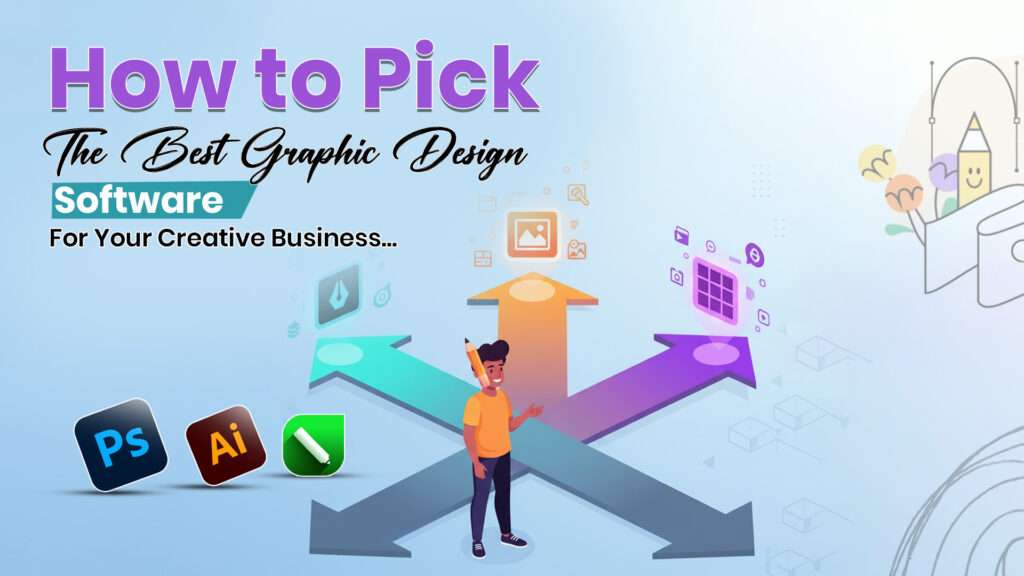
In today’s highly competitive digital age, selecting the best graphic design software can make or break your creative business. Whether you’re creating stunning visuals for branding, marketing, or digital content, the right tools empower you to work efficiently and deliver professional results. With a plethora of options available, making an informed decision can be overwhelming. This comprehensive guide will walk you through essential tips, features to consider, and the latest trends to help you choose the perfect graphic design software tailored to your needs.
Why Is Choosing the Right Graphic Design Software Important?
Your choice of software directly impacts your workflow, creativity, and output quality. The best graphic design software can streamline your processes, improve collaboration, and elevate your designs. It also determines your capability to adapt to various project requirements, whether for print, digital media, or branding.
Identify Your Business Needs
Before diving into the features, understand what your business specifically requires. Ask yourself:
- What type of designs will you create? Logos, social media graphics, websites, animations?
- What is your skill level? Are you a beginner, intermediate, or professional designer?
- Will you need collaborative tools for team projects?
- What is your budget?
Top Features to Focus On:
When selecting the best graphic design software, look for these essential features:
- User-Friendly Interface: An intuitive interface accelerates your learning curve and boosts productivity, especially if you’re new to design.
- Versatile Toolset: Powerful tools for vector graphic creation, photo editing, typography, and layout design are vital for professional-quality work.
- Compatibility and File Support: Ensure the software supports common file formats like AI, PSD, SVG, EPS, and PDF for seamless workflow integration.
- Cloud Collaboration: Real-time collaboration features like shared projects, comments, and version control foster team-based creativity.
- AI and Automation Features: AI-powered tools that enhance productivity, such as auto-tracing, color suggestions, and pattern generation, are increasingly important.
- Cross-Platform Availability: Whether you prefer Windows, macOS, or web-based solutions, compatibility across platforms broadens your flexibility.
Free Graphic Design Software – A Good Starting Point
If budget constraints are a concern or you’re just beginning, free graphic design software offers significant value:
- Canva: Perfect for quick visuals, social media posts, and simple branding with drag-and-drop ease.
- Inkscape: An open-source vector graphics editor suitable for logos, illustrations, and technical drawings.
- Vectr: Cloud-based and lightweight, ideal for beginner-friendly vector design.
- GIMP: A powerful alternative to Photoshop for photo editing and raster graphics.
Tip: Many of these tools, like Canva and Vectr, offer premium versions with additional features for professional use.
Premium Software for Advanced Professionals
For more sophisticated needs, investing in powerful paid tools pays off:
- Adobe Illustrator: The industry standard for vector design, providing comprehensive tools for logos, icons, and complex illustrations.
- Affinity Designer: A cost-effective alternative to Illustrator with a one-time purchase, supporting vectors and raster images.
- CorelDRAW: Known for precise vector editing and an intuitive interface, popular among sign-making and packaging designers.
- Figma: A cloud-based platform favored for UI/UX design and team collaboration, now increasingly popular among creative agencies.
Making the Right Choice: A Step-by-Step Approach
Step 1: Define Your Design Goals
Identify the primary output—brand logos, social media content, website graphics, or animations. For branding, vector tools like Illustrator or Affinity Designer are ideal, while social media graphics can be efficiently handled by Canva.
Step 2: Set Your Budget
Balance your needs with your budget. Free graphic design software like Inkscape or Vectr is excellent for beginners, but for professional quality and advanced features, paid options like Adobe Creative Cloud offer extensive capabilities.
Step 3: Test Before Committing
Most premium software offers free trials. Use this opportunity to explore interfaces, tools, and compatibility with your workflow.
Step 4: Consider Future Growth
Choose software that can scale with your business. For example, Figma’s collaboration tools are invaluable for growing teams, while Adobe’s ecosystem offers extensive integration.
Tips to Maximize Your Selection
- Read Reviews and Testimonials: Consult platforms like TechRadar, PCMag, or professional forums to gauge real-world performance and user satisfaction.
- Look for Learning Resources: Ensure your chosen software has ample tutorials, online courses, and community support.
- Evaluate Long-Term Costs: Consider subscription models versus one-time purchases to understand your total investment over time.
The Final Verdict
The process of selecting the best graphic design software ultimately depends on your unique business requirements, skill level, and budget. Whether opting for the sophisticated features of Adobe Illustrator, the affordability of Affinity Designer, or the simplicity of Canva, the right tool boosts efficiency and creativity.
Remember, even free graphic design software can significantly enhance your workflow if chosen wisely. Most importantly, invest time in learning your software, exploring its features thoroughly, and keep your workflows adaptable to stay ahead in the competitive digital landscape.
Conclusion:
Choosing the right graphic design software does not have to be daunting. Focus on your specific needs, try out different tools, and consider both free graphic design software options and premium solutions for advanced features. With the perfect software in hand, your creative business can produce professional, eye-catching designs that captivate audiences and drive success.
Discover Websoft offers expert Graphic Design Services in Indore to help your business stand out with creative, professional, and impactful designs. Whether you need logo design, branding, marketing materials, or digital graphics, Discover Websoft delivers tailored solutions that align with your brand identity and business goals. With a skilled team and cutting-edge tools, we ensure high-quality, unique designs that leave a lasting impression. Trust Discover Websoft for reliable and innovative Graphic Design Services in Indore to elevate your brand presence.
FAQ’s:
Ans: Look for intuitive user interfaces, strong vector and raster editing tools, support for multiple file formats, collaboration features, and AI-powered enhancements like auto-generation of shapes and design elements. Cloud compatibility and cross-platform support are also increasingly important for flexibility and team workflows.
Ans: Yes, many free graphic design software options like Canva, Inkscape, and Vectr provide robust tools suitable for beginners and small businesses. They offer user-friendly design capabilities and essential features, although paid software generally provides more advanced functions and better support for complex projects.
Ans: AI is revolutionizing graphic design by automating routine tasks such as background removal, pattern creation, and layout suggestions. AI-powered tools like Adobe Illustrator’s Generative Shape Fill and AI autosuggestions help designers generate creative work faster, boosting productivity and creativity.
Ans: Cloud-based tools such as Figma and Adobe XD lead in collaboration features. They allow multiple users to work simultaneously on designs with real-time commenting, version control, and easy sharing. These platforms ensure creative teams stay coordinated and efficient, essential for modern creative businesses.
Ans: Beginners should prioritize ease of use, availability of tutorials, and cost-effectiveness. Starting with free graphic design software or beginner-friendly paid options like Affinity Designer balances the learning curve and functionality. Trial versions allow testing before committing to a subscription or purchase.